Running several gyms as a group
When one company owns several gyms, one login can run every location. Each gym keeps its own page, visits board and team.
4 min read
In short
- A group admin runs every gym in the group from one login.
All locationsshows every gym's numbers side by side, withPayoutsandSettingsbeside it.- Each gym keeps its own dashboard, visits board, admins and staff.
If your company runs more than one gym, we can put them in a gym group. Nothing about each gym changes: it keeps its own page in the climber app, its own visits board, and its own admins and front-desk staff. The group adds one role on top, the group admin, who can see and run every location from a single login.
Who does what
- Group admin
- An admin of every gym in the group, plus the group's own pages: the combined overview, payouts, and the group's name and photos. Usually the owner or whoever runs operations.
- Gym admin
- An admin of one location, the same as before. They don't see the other locations, and Stripe for their gym is set up by the group admin.
- Staff
- Nothing changes for them. They still see only their own gym's Visits board.
Getting in
Step 1: Accept your group admin invite
We set the group up and email the invite to you. Accepting it works like any Wall Pass invite; see accepting your invite. If you already have a Wall Pass account on that address, it picks up the new access the next time you sign in.
Step 2: You land on All locations
This is the group's home. The sidebar shows the group's photo and name, then
Overview,PayoutsandSettings, then a list of your locations.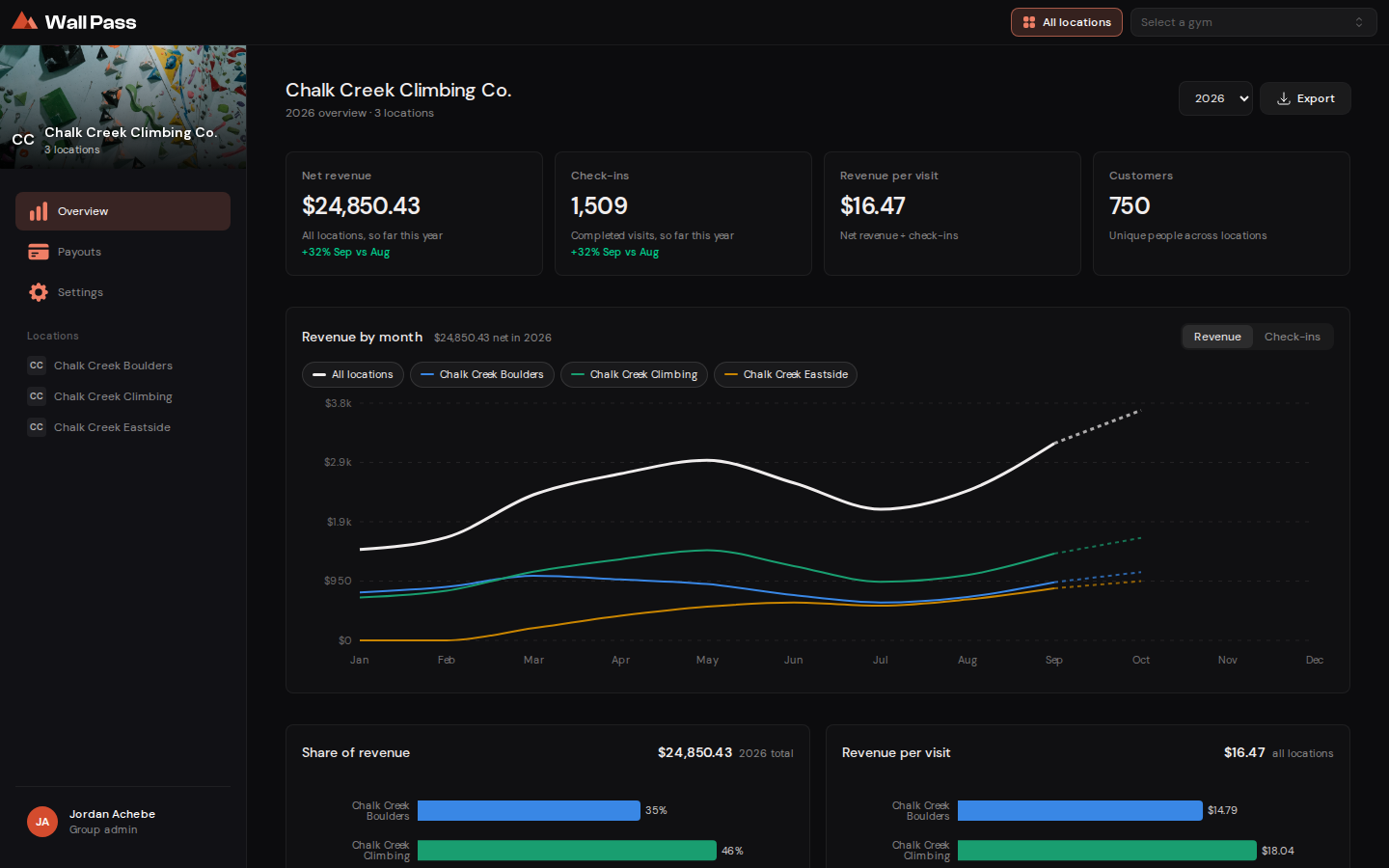
All locations: the whole group for the year, with each gym one click away. Tap to enlarge. - 1Your locations. Click one to open that gym's own screens.
- 2Export every location at once.
Opening each location
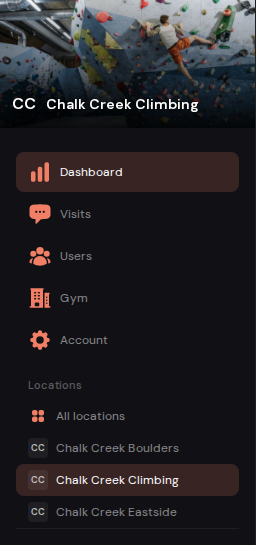
Open a location from the Locations list in the sidebar, or from the menu at the top of the screen. You get that gym's usual screens: Dashboard, Visits, Users, Gym and Account, exactly as its own admins see them. All locations, at the top of the list or beside that menu, takes you back.
The overview
Overview adds up every location for the year you pick. Each month is counted the same way as on each gym's own dashboard charts, so the two agree. One difference: the totals here cover the year you pick, while a gym's dashboard tiles cover every visit since it joined.
- Totals
Net revenue,Check-ins,Revenue per visitandCustomersfor all locations together. The change underneath compares the last two full months.- Customers count once
- A climber who has been to two of your gyms is one customer here, not two.
- The chart
- One line per location, plus a white line for all of them together. Click a location's name above the chart to hide or show its line, and switch between
RevenueandCheck-insat the top right. The current month is dashed because it isn't over yet. - By location
- Every gym's numbers in one table. Click a column heading to sort by it.
Export gives you three CSVs covering every location: customers, monthly metrics for the year, and team members. Each row has a gym_name column, so you can filter or total by location in a spreadsheet.
Group settings
Settings holds the group's name, logo and cover photo, which appear on the overview, in the sidebar and in exports. Each gym's own photos, prices and hours are still changed from that gym's Gym screen; see your gym's settings.
Common questions
How do I add staff to one of my gyms?
Open that gym from Locations, then Users → Invite, the same as in adding your team. Staff and gym admins each belong to one location.
Can a gym admin see our other locations?
No. A gym admin sees their own gym only. All locations and the Locations list are for the group admin.
Does a gym's dashboard change when it joins a group?
No. Its numbers, visits and exports stay its own. The overview only adds them up.
Where do I set up Stripe for the group?
All locations → Payouts. It has its own article: getting paid as a group.